Bing PPC Ads: The Complete Guide to Driving High-Quality Leads in 2026
- Seo Discovery
- May 13
- 6 min read

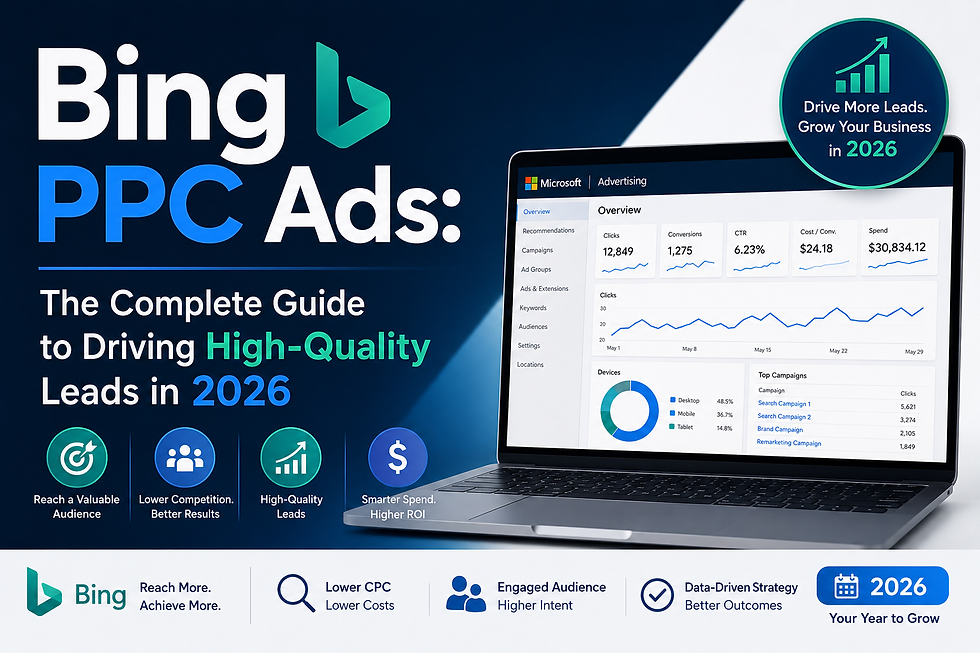
When businesses think about paid search advertising, Google Ads usually dominates the conversation. But in 2026, ignoring Bing PPC Ads means leaving a significant portion of high-intent buyers untouched. Microsoft Advertising (the platform powering Bing Pay Per Click Advertising) has quietly grown into one of the most powerful and cost-effective lead generation tools available today. This complete guide walks you through everything you need to know to launch, optimize, and scale your campaigns on Bing for maximum ROI.
What Are Bing PPC Ads?
Bing PPC Ads are paid advertisements that appear on Microsoft's search engine, Bing, as well as across its partner network, which includes Yahoo, AOL, MSN, and other Microsoft-owned properties. The model is straightforward: advertisers bid on keywords, and when a user searches for those terms, the ads appear at the top or bottom of the search results page. You pay only when someone clicks your ad, which is the core principle of Bing Pay Per Click Advertising.
What makes Bing's platform stand out is its unique user base. According to Microsoft's own data, Bing reaches over 900 million people globally, and a large share of those users are professionals aged 35 and above with above-average household incomes. This demographic profile makes Bing particularly valuable for B2B companies, financial services, legal firms, healthcare providers, and e-commerce brands targeting mature, high-value consumers.
Why Bing Pay Per Click Advertising Deserves Your Budget in 2026
1. Lower Cost Per Click, Higher Margins
One of the most compelling reasons to invest in Bing Pay Per Click Advertising is the cost advantage. Average CPCs on Bing are consistently 20 to 40 percent lower than on Google Ads, depending on the industry. For businesses working with tight margins or limited budgets, this translates directly to a lower cost per lead and a stronger return on ad spend.
2. Less Auction Competition
Fewer advertisers compete on Bing. That means your ads have a better chance of achieving top positions without aggressive bidding wars. For niche industries or specialized service providers, this is especially valuable.
3. Strong Import from Google Ads
Bing makes it easy to get started. The Google Ads import feature allows you to bring your existing campaigns into Microsoft Advertising in minutes, saving you hours of setup time. From there, you can customize and optimize specifically for Bing's audience.
4. LinkedIn Profile Targeting
This feature is exclusive to Microsoft Advertising. You can target your Bing PPC Ads by LinkedIn job title, company, and industry, making it a dream tool for B2B marketers who want to reach decision-makers at specific organizations.
How to Set Up Your First Bing PPC Campaign
Step 1: Create a Microsoft Advertising Account
Visit ads.microsoft.com and sign up. If you already have a Google Ads account, use the import option to pull your existing campaigns and assets directly into the platform.
Step 2: Define Your Campaign Goal
Microsoft Advertising lets you choose campaign objectives such as website visits, conversions, brand awareness, or product catalog sales. Choosing the right goal ensures the algorithm optimizes your budget toward the outcomes that matter most.
Step 3: Conduct Keyword Research on Bing
Do not assume your Google keyword list translates perfectly to Bing. Use the Microsoft Advertising Keyword Planner tool to discover search volume, competition levels, and suggested bids specific to the Bing network. Focus on:
High-intent, long-tail keywords that signal purchase readiness
Branded keywords to protect your brand presence
Competitor keywords where relevant and ethical
Location-specific terms if your business is geographically focused
Step 4: Build Tightly Themed Ad Groups
Structure is everything in Bing Pay Per Click Advertising. Each ad group should contain a tight cluster of related keywords. This improves your Quality Score, increases ad relevance, and ultimately lowers your cost per click. Aim for 10 to 20 closely related keywords per ad group.
Step 5: Write Compelling Ad Copy
Great ad copy on Bing follows the same foundational principles as any high-quality content: it must be accurate, relevant, and genuinely helpful to the person searching. Your headlines should address the user's intent directly, your descriptions should highlight your unique value proposition, and your call to action must be clear and compelling.
Bing allows up to three headlines (30 characters each) and two descriptions (90 characters each) per responsive search ad. Take advantage of all available fields.
Step 6: Set Up Conversion Tracking
Before you spend a single rupee or dollar, make sure your conversion tracking is configured. Install the Microsoft Advertising Universal Event Tracking (UET) tag on your website. This tag powers automated bidding strategies and gives you the data you need to measure and improve campaign performance.
Advanced Optimization Strategies for Bing PPC Ads
Use Automated Bidding Wisely
Microsoft Advertising offers several Smart Bidding strategies, including Target CPA, Target ROAS, and Maximize Conversions. These strategies use machine learning to adjust bids in real time based on user signals. However, automated bidding needs data to work well. Wait until your campaign has at least 30 to 50 conversions before switching from manual to automated bidding.
Leverage Ad Extensions
Ad extensions expand your ad's footprint on the search results page and provide additional information to potential customers. In 2026, the most impactful extensions for lead generation include:
Sitelink Extensions: Direct users to specific pages like pricing, testimonials, or contact forms
Call Extensions: Display your phone number for mobile users ready to reach out
Lead Form Extensions: Capture leads directly within the search results without requiring a landing page visit
Callout Extensions: Highlight trust signals like "Free Consultation," "No Setup Fees," or "24/7 Support"
Refine Your Audience Targeting
Beyond keywords, Bing PPC Ads allow you to layer on audience signals. Use in-market audiences to target users who are actively researching your category. Combine this with LinkedIn profile targeting for B2B campaigns where job function or seniority level determines buying authority.
Optimize for Mobile
Mobile now accounts for a substantial share of search traffic on Bing. Review your mobile bid adjustments regularly and ensure your landing pages load quickly and display correctly on all screen sizes. A slow or poorly formatted landing page will destroy conversion rates regardless of how good your ad is.
Use Negative Keywords Aggressively
Negative keywords prevent your Bing Pay Per Click Advertising budget from being wasted on irrelevant searches. Regularly audit your search term reports and add irrelevant queries as negatives at the campaign or ad group level. This single habit can reduce wasted spend by 15 to 30 percent in many accounts.
Common Bing PPC Mistakes to Avoid
Ignoring the Bing audience: Bing users behave differently from Google users. Their search language, intent signals, and decision timelines may vary. Test and tailor your messaging specifically for this platform rather than copy-pasting from Google.
Setting and forgetting: No PPC campaign performs at its best without ongoing management. Schedule weekly reviews of your key metrics: impressions, click-through rate, conversion rate, cost per conversion, and quality score.
Neglecting landing page quality: Your ad is only one part of the conversion equation. The landing page must match the ad's promise, load fast, and make it easy for the visitor to take the desired action.
Overbidding on broad match keywords: Broad match drives traffic, but it also invites irrelevant clicks. Use modified broad match or phrase match as your primary match types and reserve broad match for discovery purposes with careful negative keyword management.
Measuring Success: Key Metrics to Track
Tracking the right metrics is what separates data-driven advertisers from those who simply spend money and hope for results. Focus on:
Impression Share: Are you showing up often enough for your target queries?
Click-Through Rate (CTR): Are your ads compelling enough to earn the click?
Conversion Rate: Is your landing page turning visitors into leads?
Cost Per Lead (CPL): Is your spend generating profitable results?
Return on Ad Spend (ROAS): For e-commerce, this is the ultimate measure of campaign efficiency.
Conclusion
Bing PPC Ads represent one of the most underutilized opportunities in digital advertising today. With a lower cost per click, a high-value audience demographic, unique LinkedIn targeting capabilities, and a continually improving platform backed by Microsoft's AI investment, Bing Pay Per Click Advertising can deliver exceptional results for businesses across virtually every industry.
Whether you are launching your first campaign or looking to diversify beyond Google Ads, the strategies outlined in this guide give you a solid framework to drive high-quality leads consistently in 2026.
Ready to take your paid search performance to the next level? Contact us today and let SEO Discovery help you build, manage, and scale a Bing PPC strategy that delivers real, measurable business growth.


Comments